Reviewing stacked change requests
With git-spice, you can review change requests without leaving the terminal. By default reviews are drafted locally and published to the forge when ready.
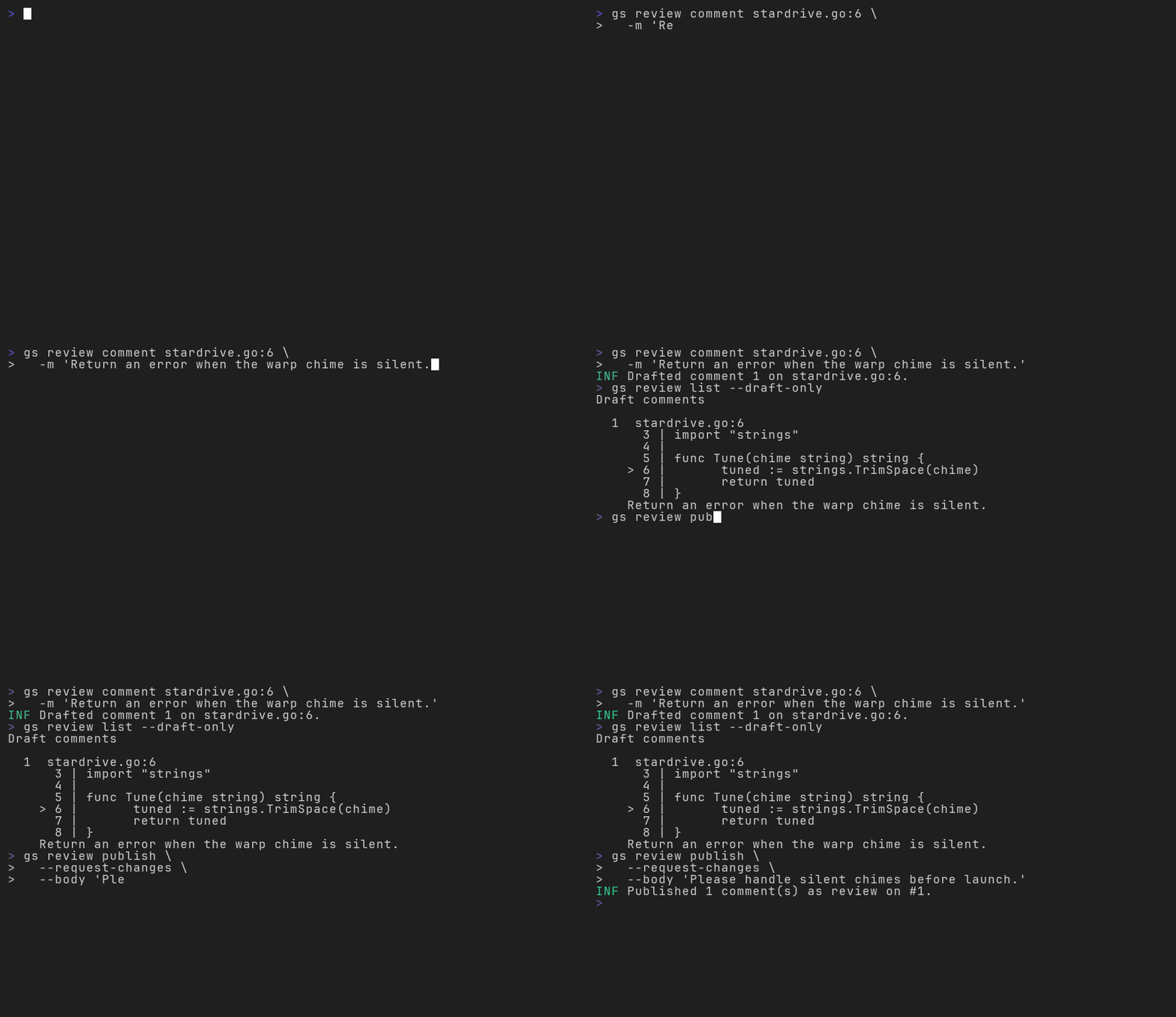
Review commands are available for:
- GitHub
- GitLab
- Bitbucket
- Gitea
- Forgejo
Post review comments
Use gs review comment to draft feedback for a file, line, or range in a branch's diff. Line numbers and ranges refer to the new version of the file---the "right" side of the diff.
# Comment on one line.
gs review comment server.go:42 -m 'Handle the error here.'

# Comment on a range of lines.
gs review comment server.go:42-50 -m 'Extract this block.'

# Comment on the whole file.
gs review comment server.go -m 'Consider splitting this file.'
Support for each form of comment varies by forge:
| Form | Example | Forge support |
|---|---|---|
| Line | server.go:42 |
GitHub GitLab Bitbucket Bitbucket Data Center Gitea Forgejo |
| Range | server.go:42-50 |
GitHub GitLab Bitbucket Bitbucket Data Center* |
| File | server.go |
GitHub GitLab Bitbucket Bitbucket Data Center* |
* Bitbucket Data Center v7.7 or later is required for file comments, and v9.2 or later for range comments.
Drafts are local
Review comments are drafted locally. They do not make use of the forge's draft comments feature (if any).
Use --no-draft to post a comment immediately,
or set spice.reviewComment.draft to false to make that the default.
Inspect and revise comments
Use gs review list to see the branch's local drafts and comments already published to its CR.
gs review list               # list all review comments
gs review list --draft-only  # list only local drafts
Edit or delete draft comments with gs review edit and gs review delete.
gs review edit 2 -m 'Check this error before returning.'
gs review delete 1 3
For scripts, gs review list --json writes newline-delimited JSON to stdout.
Publish comments
When satisfied with the drafted comments, publish them with gs review publish.
gs review publish
To include a review disposition, pass --approve or --request-changes.
Optionally, include a message with --body:
gs review publish --approve
gs review publish --request-changes

gs review publish \
  --request-changes \
  --body 'Maybe we should use a different shade of green'
Respond to review threads
gs review list includes comments from other reviewers. Draft replies to those comments with gs review reply.
gs review reply THREAD_ID -m 'Updated in the latest revision.'
As with review comments, replies are local by default.
Use gs review publish to post them,
or pass --no-draft to post a reply immediately.
gs review reply THREAD_ID -m 'Updated in the latest revision.' --no-draft
Resolve review threads
Use a thread ID from gs review list to resolve a discussion or reopen it later.
gs review resolve THREAD_ID
gs review reopen THREAD_ID
This is not supported on all forges.